
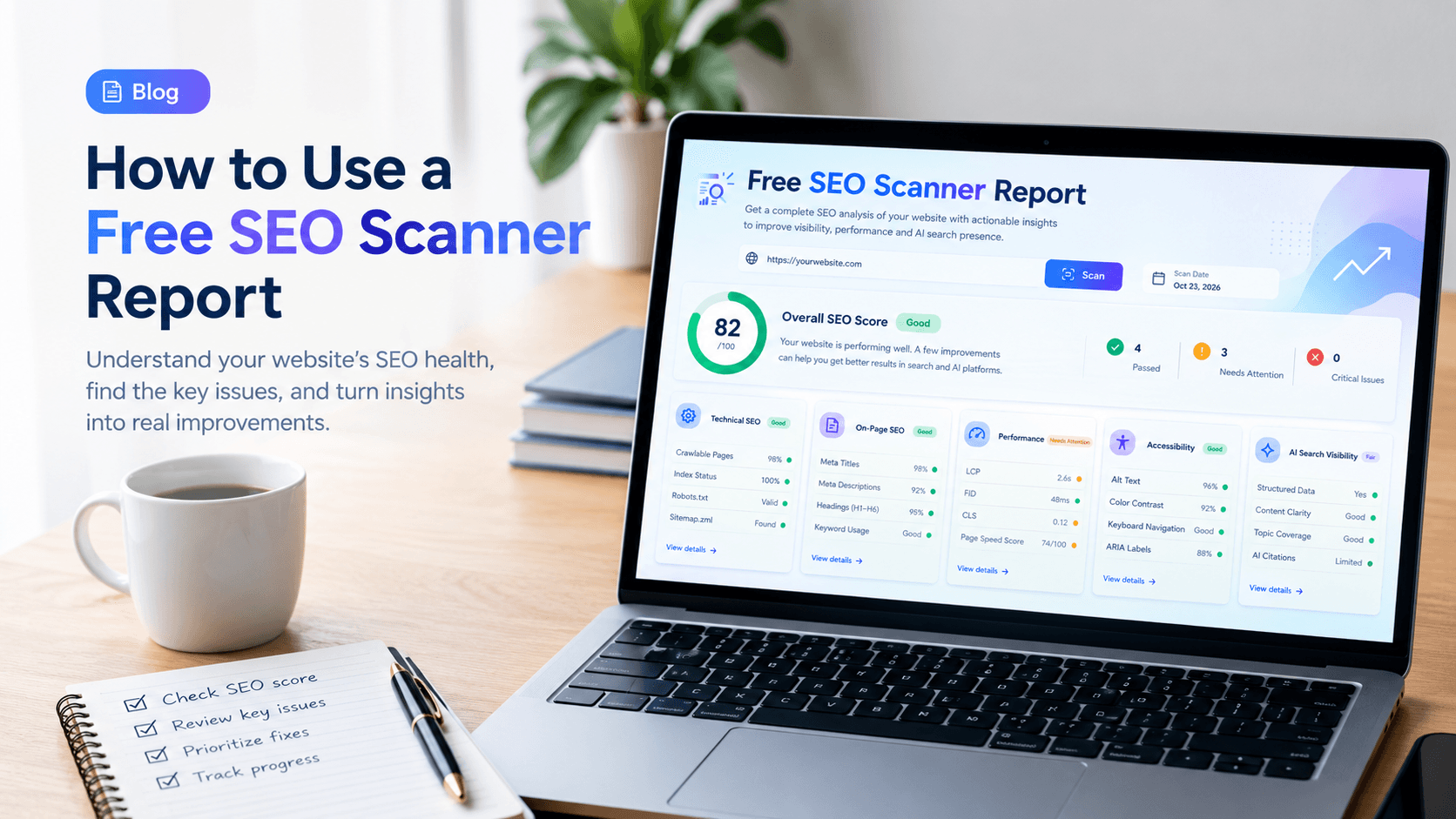
A free SEO scanner gives you a fast, structured look at how a website performs in search. You enter a URL, wait a few moments, and receive a report that highlights problems and suggests where to start. Used well, it can surface issues that quietly hold back rankings, such as broken links, missing page titles, slow pages, or content that search engines struggle to read.
Used poorly, the same report can be confusing. A long list of warnings with no sense of priority can leave you unsure what to fix first, or lead you to chase minor issues while larger ones go unaddressed.
This guide explains what a free SEO scanner checks, how to read its report, and how to turn the findings into a clear plan. You can run your own scan at /scanner.
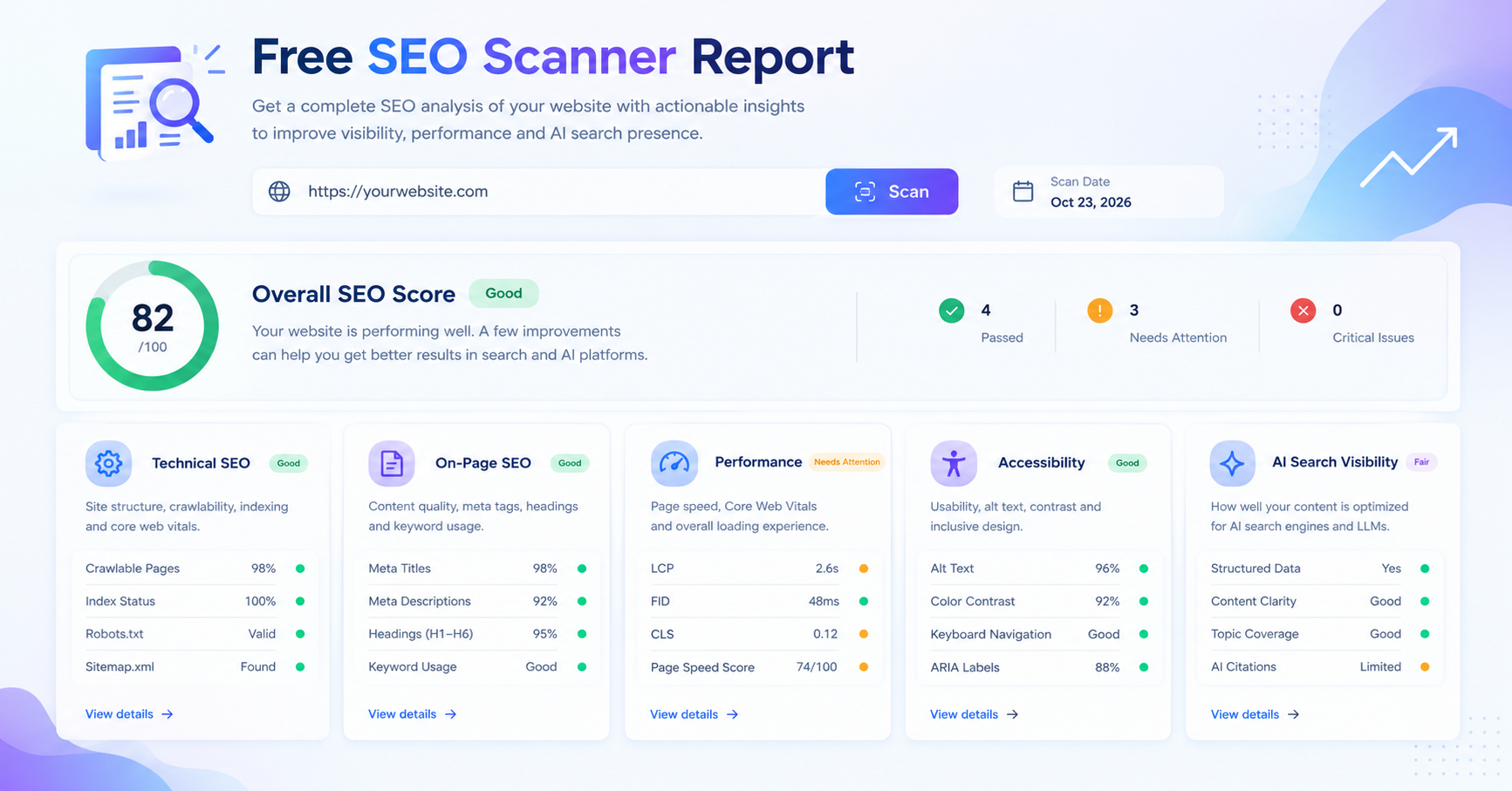
A good report groups findings into clear categories so you can see where the biggest issues are.
What a Free SEO Scanner Checks
Most SEO scanners examine a page the way a search engine crawler does. They look at the HTML that a server returns, follow links, and record what they find. The checks usually fall into five groups.
Crawlability and indexing
Search engines can only rank pages they can find and read. A scanner checks whether the page responds successfully, whether it is blocked by robots.txt or a noindex directive, and whether the site has an XML sitemap that lists its important pages. It also looks for redirect chains and broken links, since both waste crawl effort and frustrate visitors.
On-page elements
These are the elements that tell search engines and readers what a page is about. The scanner typically checks:
- Title tag: present, unique, and a sensible length
- Meta description: present and descriptive, though it does not directly determine rankings
- Heading structure: one clear H1 that matches the page topic, with logical H2 and H3 subheadings
- Image alt text: descriptive text for images, which supports accessibility and image search
- Internal links: links that help visitors and crawlers move between related pages
Content signals
Content checks look at whether a page has enough substance to answer the question it targets. A scanner may report word count, duplicate or near-duplicate content, thin pages with very little text, and whether the main topic appears early in the page. Word count alone is not a measure of quality, so treat these results as prompts for review rather than targets.
Technical performance
Speed and stability affect both user experience and search performance. A scanner may measure page load time, page size, the number of requests a page makes, and basic indicators of mobile friendliness such as the viewport setting. Some tools also report Core Web Vitals, which measure loading, interactivity, and visual stability.
Structured data and security
Structured data (usually JSON-LD) helps search engines understand the type of content on a page, such as an organization, a product, or an article. A scanner can check whether it is present and syntactically valid. Many scanners also check whether the site uses HTTPS, since secure connections are a baseline expectation for both users and search engines.
How to Read the Report
A report can contain dozens of findings. The key to reading it is to sort them by impact and effort rather than working through them in the order they appear.
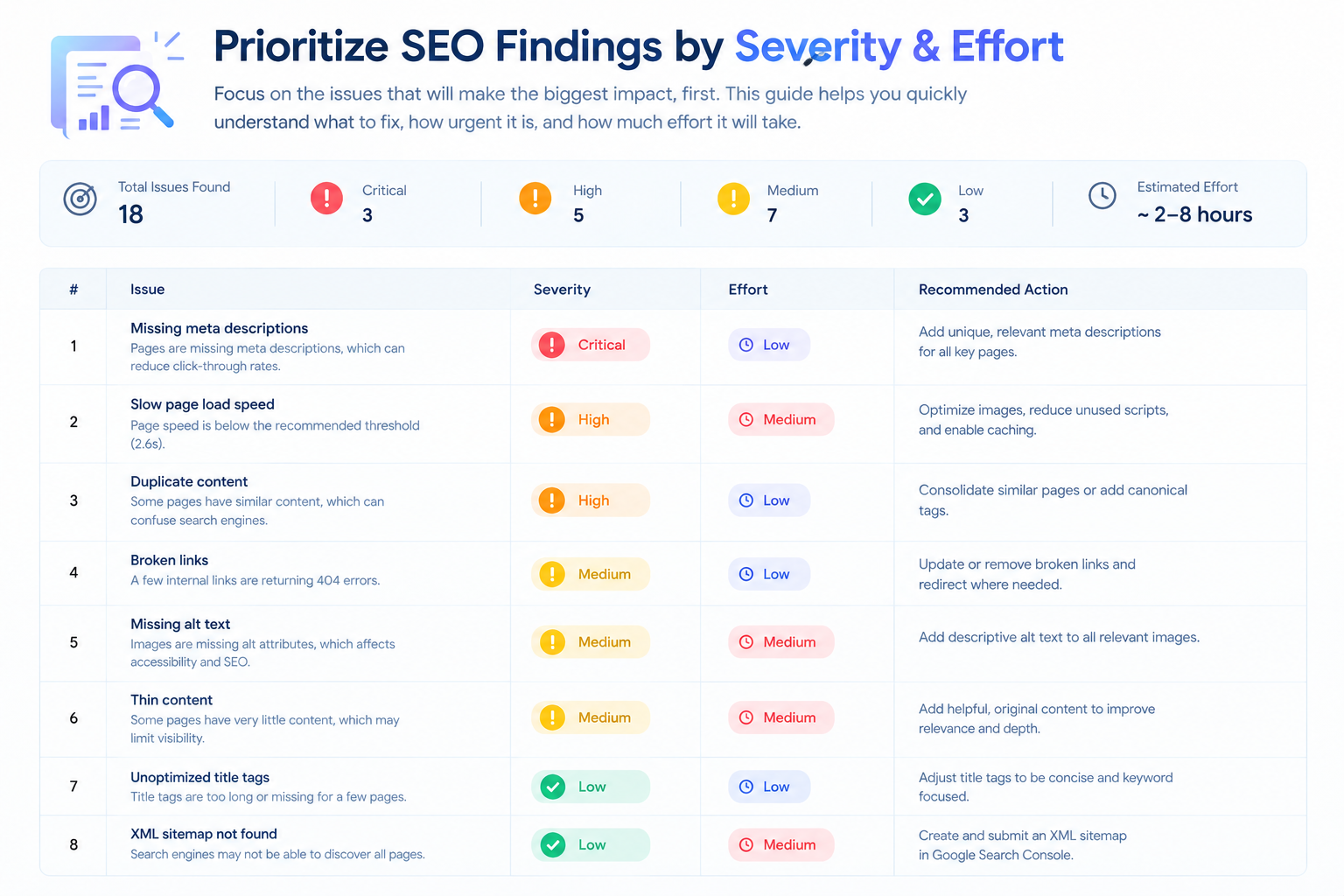
Sort findings into critical, important, and minor groups before you start fixing anything.
Start with the severity labels
Most reports label issues as critical, warning, or notice. These labels describe how strongly an issue is likely to affect search performance or usability.
- Critical issues usually block indexing or make a page unusable. Examples include a page returning a server error, a noindex tag on an important page, or a missing title tag on the homepage. Fix these first.
- Warnings point to problems that reduce quality or performance but do not usually stop a page from being indexed. Duplicate meta descriptions and slow images are typical examples.
- Notices are suggestions for improvement, such as adding alt text to decorative images or lengthening a short page. They are worth doing, but they rarely decide rankings on their own.
Check whether an issue repeats
A single broken link on one page is a small problem. The same broken link appearing across fifty pages is a site-wide problem. Look at the number of affected URLs next to each finding. Patterns usually point to a template, a navigation menu, or a content process that needs changing, and fixing the template fixes all the pages at once.
Separate symptoms from causes
Some findings are symptoms of a shared cause. For example, a scanner might report missing title tags, missing meta descriptions, and missing H1 headings on the same set of pages. That pattern usually means the pages were created from a template that was never filled in properly, or that a content management system field is not being used. Addressing the cause is more efficient than editing each page separately.
Compare results over time
A single scan is a snapshot. Running the same scan again after making changes shows whether the fixes worked and whether new issues have appeared. Keep a simple record of the date, the score or number of issues, and the main changes you made. Over several months, this record shows whether your site is improving or drifting.
Turning Findings Into an Action Plan
Once you understand the report, convert it into a short plan. A useful plan has five to eight items, each with a clear owner and a measurable result.
For each item, write down:
- The issue: what the scanner found, and how many pages it affects
- The cause: the template, setting, or process that produced it
- The fix: the specific change to make
- The owner: the person responsible
- The check: how you will confirm the fix worked
Here is an example. A small services business scans its website and finds that twelve service pages have duplicate title tags, most have no meta description, and three pages return slow load times because of large uncompressed images. The cause is a page template that defaults to the business name as the title, and an image upload process that does not resize files.
The plan might look like this: update the template so each service page generates a title that describes the specific service, add a meta description field to the template and fill it for the twelve pages, and compress the three slow images. The check is a rescan after the changes, followed by a review of the affected pages in search results over the next few weeks.
Notice that the plan does not try to address every notice in the report. It focuses on the issues that affect many pages and that are quick to fix.
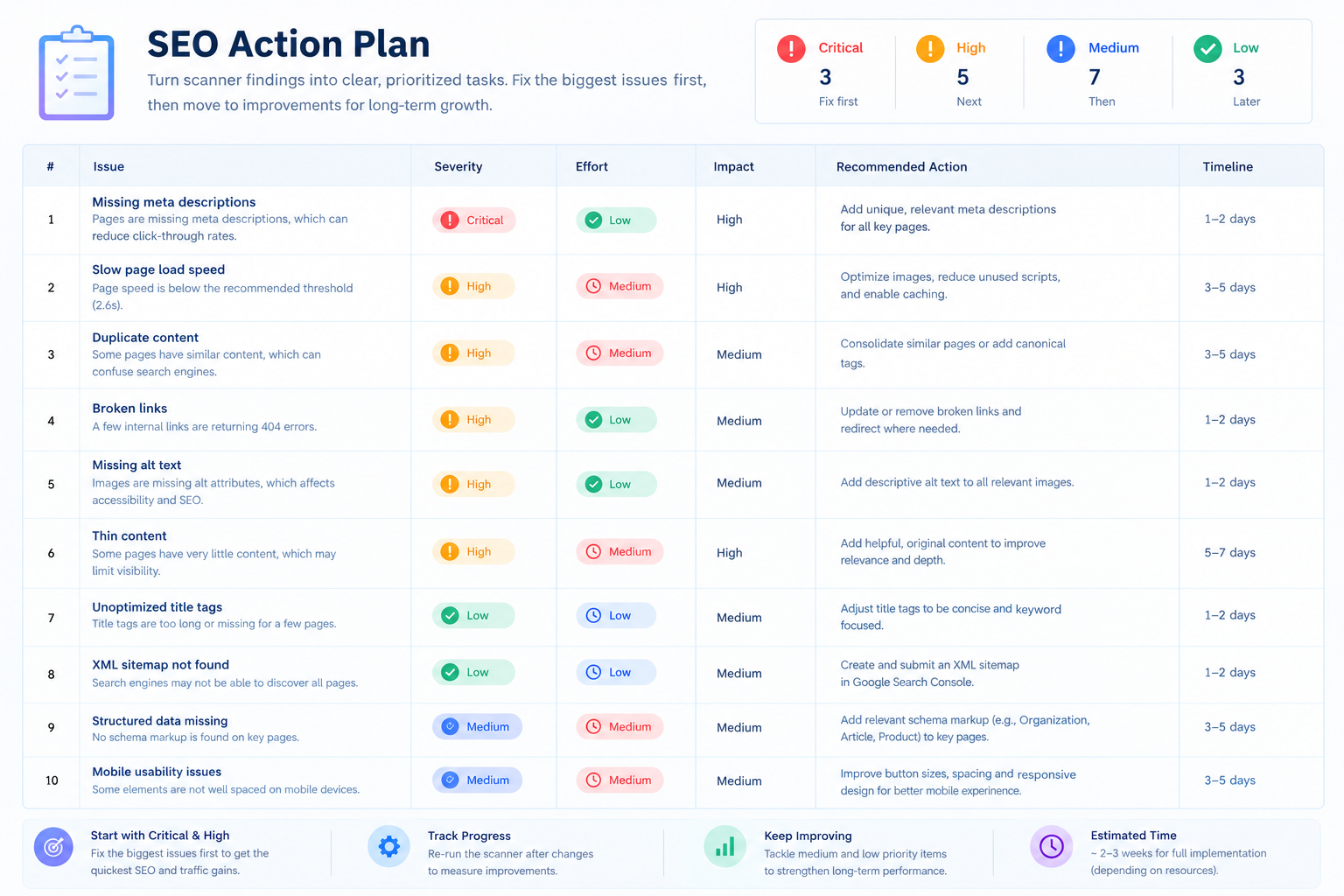
A short action plan with owners and checks turns a long report into work that gets done.
Common Mistakes When Using a Free SEO Scanner
Treating the score as the goal. A high score is a useful indicator, but it does not guarantee rankings. A page with a perfect technical score can still fail to rank if its content does not match what people are searching for.
Fixing notices before critical issues. It is tempting to clear the easiest items first. Start with the issues that block indexing or harm usability, then work through the rest.
Ignoring the context of the page. A scanner does not know your business goals. A landing page for a paid campaign may have different priorities from a long-form guide. Use the report as input to your judgment, not a replacement for it.
Scanning once and never again. Websites change constantly. New pages, plugin updates, and content edits can introduce problems. Scanning after major changes, and on a regular schedule, catches issues before they accumulate.
Expecting results overnight. Search engines need time to recrawl and reassess pages. Fixes often take days or weeks to show up in search results, so judge progress over a reasonable period.
Frequently Asked Questions
How often should I scan my website? Scan after any significant change, such as a redesign, a new section, or a platform update. For most sites, a monthly scan is a reasonable baseline. Larger sites with frequent publishing may benefit from more frequent checks.
Does a free SEO scanner replace a full audit? No. A scanner is good at identifying common, measurable issues quickly. A full audit goes further, examining content quality, competitor performance, search intent, and business priorities in depth. Think of the scanner as a first step.
Why does my report show different results from another tool? Different tools crawl differently, use different thresholds, and sometimes measure performance in different environments. Compare trends within the same tool rather than comparing absolute numbers across tools.
Do I need technical skills to act on the report? Many findings, such as improving titles, writing meta descriptions, and fixing broken links, can be handled by a content editor or site owner. Issues involving server configuration, redirects, or structured data may need a developer.
Can a scanner check how my site appears in AI search? Traditional scanners focus on search engine signals. Checks for how AI systems access and describe a site are a related but separate discipline, which is why some businesses use dedicated tools alongside a standard SEO scan.
Conclusion
A free SEO scanner is one of the fastest ways to understand the technical and on-page health of your website. It checks crawlability, on-page elements, content signals, performance, and structured data, and it presents the results in a form you can act on.
The value comes from how you read the report. Prioritize critical issues, look for patterns across pages, separate symptoms from causes, and turn the findings into a short plan with owners and checks. Then scan again to see what changed.
You can run your first scan at /scanner and use this guide to work through the results.
Key Takeaways
- A free SEO scanner checks crawlability, on-page elements, content signals, performance, and structured data.
- Fix critical issues first, then warnings, then notices.
- A problem that repeats across many pages usually has a template or process cause, so fix the cause once.
- Turn the report into a short action plan with owners and a way to verify each fix.
- Rescan after changes and track results over time rather than relying on a single score.


